Optimize your workflows in Excel and reclaim your time
Professional add-ins installed directly into Excel to automate tedious, time-consuming data tasks.
🚀 No need to learn anything new: No complex formulas. No Macros. No Power Query. No IT support required.
Join thousands of professionals and save over 5 hours every week.
⚽ OPTIPE FREEMIUM: Free Forever
Starting this June, we are changing for good: Forget about expiring trial versions. Download Optipe Freemium and permanently keep Data Tools Suite and MultiMail right on your Excel Ribbon at zero cost.
Cross-referencing, comparing, splitting, extracting, consolidating, transforming, and mailing your data has never been this easy. Your company already has Excel and Outlook—all you need now is Optipe.
💡 Want to follow the World Cup matches without falling behind at work? Let Optipe handle the heavy lifting in Excel and free up valuable hours to enjoy the football or grab a coffee with friends.
Your company already has Excel and Outlook—all you need now is Optipe
📊 Data Tools Suite
Clean, transform, and organize massive data volumes in Excel within seconds.
Learn more →📧 MultiMail
Send customized sheets and tailored documents straight from Excel automatically and securely.
Learn more →🎯 Is OPTIPE right for you?
If you or your team perform any of these tasks on a weekly basis, the answer is yes:
- 📊 You export raw data from an ERP or system to Excel and waste time processing it manually.
- ⚙️ You don’t use an ERP and rely entirely on Excel to centralize and manage your daily business operations.
- 🔗 You cross-reference, match, or consolidate workbooks and spreadsheets from multiple sources.
- 📂 You split master reports into separate sheets to distribute them by department, branch, area, or client.
- 🧹 You clean, convert, or format accumulated databases before analyzing them or sharing results.
- 📧 You mail individualized emails along with their corresponding reports, invoices, or specific attachments.
 Available in 6 languages.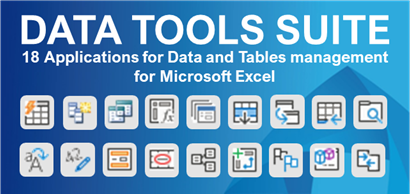
18 tools to merge, clean, and transform Excel data in seconds
Automate your team's repetitive tasks. Zero formulas, zero errors, from day one.
- ✓ Merge and compare tables from different sources
- ✓ Export and structure data for analysis
- ✓ Split tables into multiple sheets automatically
- ✓ Fill, clean, and prepare data without errors
Ideal for HR, Finance, Management, Operations, and Controlling to:
- Process large volumes of data from ERP or external files.
- Consolidate information for recurring reports.
- Clean, validate, and structure data without errors.

Distribute reports, invoices, and documents directly from Excel
Do you spend hours manually sending internal reports, invoices, or documents?
MultiMail is NOT an email marketing tool. It is a professional solution to distribute business information from Excel inside your organization, using Outlook and maintaining corporate identity.
- Individual Attachments: Automatically send invoices, reports, contracts, or documents defined directly from Excel to each recipient.
- Corporate Communication: Perfect for sending payslips, branch reports, or payment reminders.
- Privacy & Security: Your data stays on your computer; the process is local and 100% secure.
MultiMail is NOT an email marketing tool. It is not designed for newsletters or campaigns.
It is built for internal and corporate use: HR, Finance, Management, Operations, and Education.
MultiMail 4.0
The evolution of automated sending from Excel
Send multiple documents per recipient in a single email, with greater control and zero errors.
Compatible with Excel 2016–365 and designed to integrate easily with ERP systems.
- ✔ Automatic grouping of documents per client
- ✔ Optional summary table inserted in the email body
- ✔ Pre-send validation to prevent errors
Convert Measurements in Excel in seconds
Convert units without complex formulas directly in Excel.
Includes support for metric prefixes and common technical conversions.
- ✔ Direct conversion between units (length, weight, volume)
- ✔ Supports metric prefixes (kilo, mega, milli)
- ✔ Simple use from Excel with no setup required
Ideal for users who:
- Work with technical calculations or frequent conversions
- Need to transform data quickly within Excel
- Require accuracy without relying on complex formulas


