🕐 3 HOURS per bulk email? The hidden cost your company doesn't see
Imagine this: It's Friday afternoon and you need to send management reports to 25 branches. Copy, paste, personalize greetings, attach files... 3 hours later you're exhausted, while your competitors automate everything in minutes.
Bulk email fast but impersonal? ❌ Or personalized emails safe but slow? ⏳
In companies that rely on Excel to manage clients, reports and internal communications, this scenario is an everyday reality. But there is a critical dilemma:
💰The financial impact: More than $50K annually in wasted time
According to internal analyses from companies using Excel for communications:
Average manual send for 100 recipients
Annual cost per employee ($2,000/month) for just one monthly send
100 employees sending monthly
The problem is not just time: Bulk emails end up in spam, generate low response rates (2-5%) and expose sensitive data.
🎯 THE DECISION MATRIX: When bulk vs. personalized?
After years analyzing patterns in companies from different countries, I developed the Email Send Decision Matrix that considers two key factors:
- Confidentiality level of the information
- Expected impact level on the recipient
📨 Quadrant 3: INDIVIDUALLow confidentiality + High impact
|
🔐Quadrant 4: INDIVIDUAL MANDATORYHigh confidentiality + High impact
|
📊 Quadrant 1: BULKLow confidentiality + Low impact
|
📧Quadrant 2: INDIVIDUALHigh confidentiality + Low impact
|
Golden rule: Only 9% of cases (quadrant 1) justify bulk. The 91% remaining require personalization.
⚡ SOLUTION 1: MultiMail - Personalized emails in MINUTES
The end of copy-paste one by one. With MultiMail:
✉️ Automatic personalization
"Dear [Name], your [Branch] report..."
📎 Dynamic attachments
Specific documents per recipient
⚡From Excel in 2 clicks
Import any list and send
🔒GDPR compliance
Secure data, no mass exposure
💰$60 one-time
vs. hours of manual work
Real cases:
- Retail: Inventory sends by store (quadrant 4)
- HR: Personalized bonuses (quadrant 2)
- Sales: Specific offers by client (quadrant 3)
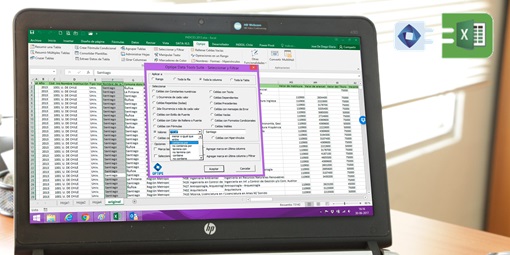
🛠️ SOLUTION 2: Data Tools Suite - Automatic data segmentation
Before perfect emails, you need perfect data. Most fail at the pre-segmentation:
❌ Traditional method
Filter → Copy → Paste → Repeat x25 = 2 hours
✅ Data Tools Suite
Extract data by criteria in 15 seconds
Recommended full flow:
- Data Tools Suite → Segment data by recipient
- Clean and validate information
- Export prepared lists
- MultiMail → Personalized sends
⏱️Time comparison: Manual vs. Automated
| Task | Manual Method | Optipe Solution | Savings |
|---|---|---|---|
| Segment 25 branches | 2 hours | 2 minutes | 118 min |
| Prepare emails | 1 hour | 3 minutes | 57 min |
| Send personalized | 1 hour | 1 minute | 59 min |
| TOTAL | 4 hours | 6 minutes | 3h54m |
Immediate ROI: One MultiMail license ($60) pays for itself in 1 send.
🚀 REAL CUSTOMER RESULTS
"We used to send inventories manually to 40 stores. With MultiMail + Data Tools Suite we reduced from 5 hours to 10 minutes. The ROI was immediate."
Mario G., Logistics Manager, Retail Chile
"Segmenting data for 200 clients took half a day. Now Data Tools Suite does it in minutes, and MultiMail sends personalized proposals automatically."
Carla M., Senior Consultant
📋 CHECKLIST: Implement today
💡CONCLUSION: Smart companies automate communications
91% of your sends deserve personalization, but manual time prevents it. With the Decision Matrix, MultiMail and Data Tools Suite you transform:
🎯 Start today: MultiMail + Data Tools Suite for $90 total
💼 Combo Package - 20% SavingsSmart companies invest in tools, not wasted time.

José Antonio de Diego
Founder Optipe | 25+ years optimizing business Excel
Computer Engineer and Master's in Business Administration. Creator of Data Tools Suite and MultiMail.
This article is a translation of the original in Spanish.