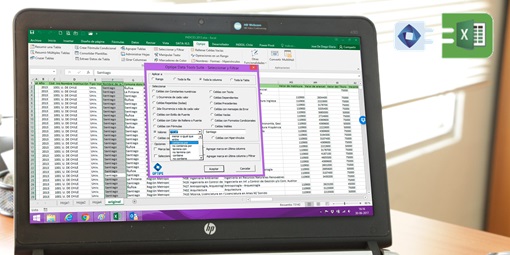
17 essential tools that give you total control over your data in Excel. Save time, eliminate errors, and enjoy peace of mind with perfect results from the very first click – no prompts or trial-and-error needed. Merge workbooks, clean duplicates, split tables, and cross-reference data without complex formulas. The expert suite for analysts and ERP users.
Data Tools Suite is ideal for those who:
- Use Excel daily to generate reports with various data and tables.
- Export ERP data to Excel to build more advanced analyses.
- Cleanse and prepare data for their reports regularly.
Watch Data Tools Suite in action
Full Application Catalog
🔗 Merge and Consolidate Tables |
||
  |
||
|
|
|
🧹 Clean and Prepare Data |
||
  |
||
|
|
|
🔢 Operations and Calculations |
||
  |
||
|
|
|
🛠️ Management and Utilities |
||
|
|
|
Other FeaturesFormat buttons and extra utilities. |
Added Functions+30 new calculation functions. |
OneClic18 direct shortcuts for top actions. |
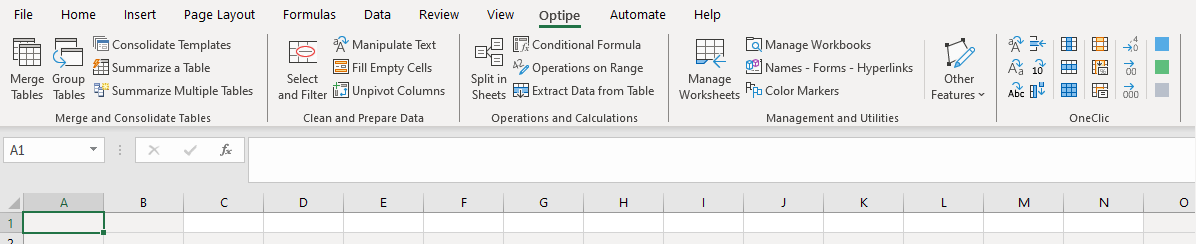
 Merge Tables
 Consolidate Templates
 Group Tables
 Summarize Multiple Tables
 Summarize a Table
 Manipulate Text
 Unpivot Columns
 Fill Empty Cells
 Select and Filter
 Operations on Range
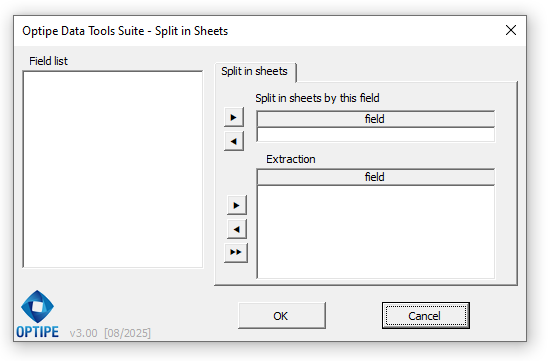
 Split in Sheets
 Conditional Formula
 Extract Data from Table
 Manage Worksheets
 Color Markers
 Manage Workbooks
 Names and Hyperlinks
• See Installation Details for Optipe add-ins.
Need to implement this in your team?
Optimize your department's productivity with a professional solution.